

Apple device generations are the system Apple uses to label different versions of its products, such as iPhones, iPads, and Apple Watches. Each Apple device generation represents a specific release cycle that brings changes in performance, design, features, and long-term software support.
People search for Apple device generations to understand which model is newer, which offers better value, and which will receive updates for longer. Instead of simple names, Apple uses terms like 9th generation, 10th generation, or 3rd generation, which directly influence buying decisions and often create confusion.
Find Your Age - In Years, Months, Days, Hours, Minutes, and Seconds!
Best How Apple Uses “Generation” Across Different Devices 2026
 Please share this article with your friends ❤️


Apple uses the word generation to track evolution within a specific product line, not across all devices. Each product category follows its own update cycle, which is why generation numbers don’t always align between iPads, iPhones, and Apple Watches.
For example, an iPad might be on its 10th generation, while an iPhone SE is only on its 3rd generation. This does not mean one device is older or weaker by default—it simply reflects how often that product line has been updated.
What Does “Generation” Mean in Apple Products?
In Apple products, a generation means a distinct version released with a specific set of hardware and design choices. When Apple launches a new generation, it usually includes improvements in processing power, display, cameras, or internal components.
Example:
The iPad 9th generation and iPad 10th generation are both sold as “iPads,” but they differ in design, charging port, and chip generation. The generation number helps buyers identify which version they are actually getting.
Key takeaway:
Generation tells you which version of a product you are buying, not just how new it sounds.
Why Apple Uses Generations Instead of Model Numbers
Apple prefers generations because they allow flexibility without confusing the brand name. Unlike Android phones that add many model names each year, Apple keeps names simple and lets the generation indicate progress.
Example:
Instead of calling a device “iPad X Plus Max,” Apple uses “iPad (10th generation),” which signals its place in the product timeline while keeping branding clean.
Key takeaway:
Generations help Apple maintain simple product names while still showing upgrades.
Best Why Numbers Like 9th, 10th, and 3rd Feel Inconsistent 2026
Please share this article with your friends ❤️
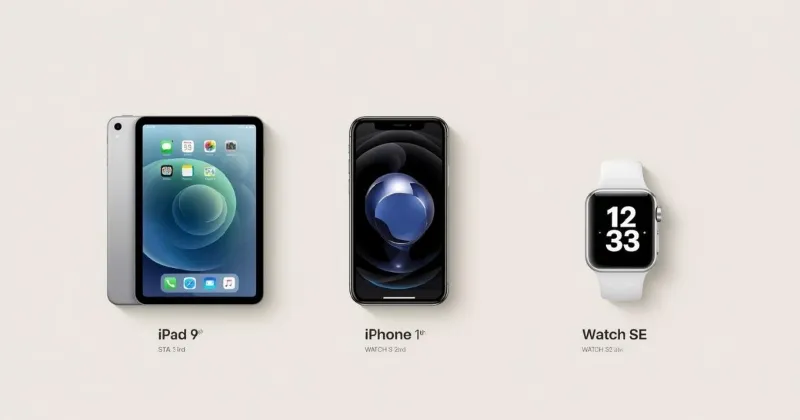
Many buyers feel confused when they see different generation numbers across Apple devices. This happens because each product line evolves independently, based on its audience and update schedule.
An iPad may receive yearly updates, while an iPhone SE may be updated only every few years. As a result, higher generation numbers don’t always mean newer technology across categories.
Why iPad and iPhone Generations Don’t Match
iPads and iPhones serve different user needs, so Apple updates them on different timelines. iPads often focus on education and productivity, while iPhones focus on yearly flagship cycles.
Example:
The iPhone SE 3rd generation was released years after the iPad 9th generation, even though its generation number is lower.
Key takeaway:
Generation numbers should only be compared within the same product line, not across devices.
Why Higher Generation Doesn’t Always Mean Better
A higher generation usually means newer design or features, but it doesn’t always mean better value or suitability for every user.
Example:
Some users prefer the iPad 9th generation because it still has a headphone jack and home button, even though the 10th generation is newer.
Key takeaway:
“Better” depends on your needs, not just the generation number.
Best Common Buyer Mistakes When Choosing Apple Generations 2026
Please share this article with your friends ❤️
Many buyers assume the newest generation is automatically the best choice. This can lead to overspending or buying features they don’t actually need.
Another common mistake is ignoring long-term software support, which is closely tied to generation but not always obvious at first glance.
Are Newer Apple Generations Always Better?
Newer generations usually offer improvements, but they may also remove features some users rely on.
Example:
A newer iPad may require different accessories or adapters, which adds extra cost for some users.
Key takeaway:
Newer is not always better for every buyer.
How to Tell Which Generation Your iPad Is
You can identify your iPad’s generation by checking its model number in Settings or on Apple’s official support pages.
Example:
Looking up the model number reveals whether an iPad is 9th or 10th generation, even if the seller description is unclear.
Key takeaway:
Always confirm the generation before buying, especially online.
Best 🔹 iPad 9th Generation vs iPad 10th Generation Overview 2026
Please share this article with your friends ❤️
When buyers compare Apple tablets, the iPad 9th and 10th generation are two of the most commonly confused options. Both are marketed as “regular iPads,” yet they target slightly different users and budgets.
Understanding the real differences between these two generations is essential because the price gap often makes buyers wonder whether the newer model is actually worth the extra cost.
Quick Difference Between iPad 9th and 10th Generation
The core difference lies in design philosophy and future direction rather than raw performance alone.
Example:
- iPad 9th generation keeps the classic home button and Lightning port.
- iPad 10th generation introduces a modern design, USB-C, and repositioned camera.
Key takeaway:
The 10th generation feels more “future-ready,” while the 9th generation focuses on familiarity and value.
Design and Display Changes Across Generations
Apple made a noticeable design shift with the 10th generation by removing the home button and increasing screen size without making the device larger.
Example:
The iPad 10th generation has a more edge-to-edge display, making it better for reading, browsing, and split-screen tasks.
Key takeaway:
Design changes affect usability more than most buyers initially realize.
Best 🔹 iPad 10th Generation Features and Specifications 2026
Please share this article with your friends ❤️
The iPad 10th generation represents Apple’s attempt to modernize its entry-level tablet while still keeping it accessible to mainstream users.
It is positioned as a bridge between budget iPads and more premium models like the iPad Air.
What Is the iPad 10th Generation and What Makes It Different?
This generation introduces a refreshed look and improved internal hardware compared to previous models.
Example:
It uses a newer chip, supports newer accessories, and aligns better with Apple’s current design language.
Key takeaway:
The 10th generation is about modernization, not just speed.
Processor, Display, and Camera Improvements
Performance upgrades are noticeable in everyday tasks like multitasking, video calls, and light editing.
Example:
The front camera is placed horizontally, which feels more natural for video calls during online classes or meetings.
Key takeaway:
Small upgrades add up to a noticeably smoother daily experience.
🔹 Is the iPad 10th Generation Worth Buying in 2026?
Please share this article with your friends ❤️
In 2026, buyers are increasingly concerned about longevity and software updates. The iPad 10th generation scores well in this area.
Pros and Cons of iPad 10th Generation Today
Pros:
- Modern design
- Better long-term software support
- USB-C compatibility
Cons:
- Higher price than older generations
- Requires new accessories for some users
Key takeaway:
It’s worth buying if you plan to keep it for several years.
Long-Term Software Support Expectations
Apple typically supports iPads for many years, but newer generations naturally last longer.
Example:
The iPad 10th generation is more likely to receive updates well into the future compared to older models.
Key takeaway:
Future-proofing matters if you don’t upgrade often.
Best 🔹 iPad 9th Generation Performance and Use Cases 2026
Please share this article with your friends ❤️
Despite being older, the iPad 9th generation remains popular due to its price and reliability.
It’s especially appealing to users who want a simple Apple tablet without paying for design changes they don’t need.
What Are the Main Features of the iPad 9th Generation?
The iPad 9th generation focuses on essentials: solid performance, good battery life, and broad app compatibility.
Example:
It handles streaming, note-taking, and casual gaming with ease.
Key takeaway:
For basic use, performance is still more than enough.
Is the iPad 9th Generation Still Worth Buying?
For budget-conscious buyers, the answer is often yes.
Example:
Students or parents buying a first iPad often find the 9th generation perfectly adequate.
Key takeaway:
Value matters more than being “latest.”
🔹 Which iPad Generation Is Best for Students and Beginners?
Please share this article with your friends ❤️
Students and first-time buyers often prioritize affordability, reliability, and ease of use over cutting-edge features.
iPad Generations Compared for Students
Both the 9th and 10th generation work well, but the choice depends on budget and expected usage.
Example:
Younger students may not need the design upgrades of the 10th generation.
Key takeaway:
Match the generation to the user, not the trend.
Best iPad for Online Classes and Note-Taking
A stable device with good battery life and camera placement matters more than raw power.
Example:
The iPad 10th generation’s camera placement improves video calls, while the 9th generation saves money.
Key takeaway:
Functionality beats specs for students.
Best 🔹 iPhone SE 3rd Generation Explained 2026
Please share this article with your friends ❤️
The iPhone SE 3rd generation is often misunderstood because its generation number seems low despite its strong performance.
What Is the iPhone SE 3rd Generation and Who Is It For?
This device targets users who want flagship-level performance in a compact, familiar design.
Example:
It uses a powerful chip similar to more expensive iPhones.
Key takeaway:
Generation number does not equal performance level.
What Does 3rd Generation Mean for the iPhone SE?
For the SE line, generation reflects major refresh cycles, not yearly updates.
Example:
Each SE generation brings a significant internal upgrade, even if the design stays similar.
Key takeaway:
SE generations focus on performance leaps.
Best 🔹 Apple Watch SE 2nd Generation Features 2026
Please share this article with your friends ❤️
Apple Watch generations follow a different logic focused on health, fitness, and usability improvements.
What Are the Key Features of the Apple Watch SE 2nd Generation?
It offers essential smartwatch features without premium extras.
Example:
Fitness tracking, notifications, and safety features are all included.
Key takeaway:
It’s designed for everyday users, not power users.
What Does 2nd Generation Mean for Apple Watch SE?
The second generation refined performance and efficiency rather than redesigning everything.
Example:
Faster operation and better battery optimization make daily use smoother.
Key takeaway:
Incremental upgrades still matter.
Best 🔹 Latest Apple Generations Available Today 2026
Please share this article with your friends ❤️
Knowing the latest generation helps buyers avoid outdated purchases.
What Generation of iPad Is the Latest Right Now?
The latest generation reflects Apple’s current direction for its tablets.
Example:
Newer generations emphasize USB-C, modern design, and longer software life.
Current iPhone and Apple Watch Generations
Each product line has its own “latest,” which should be checked separately.
Key takeaway:
Never assume all Apple devices update together.
Best 🔹 How to Choose the Right Apple Generation for You 2026
Please share this article with your friends ❤️
Choosing the right generation depends on usage, budget, and upgrade habits.
What Should You Consider Before Choosing an Apple Device Generation?
Think about how long you plan to use the device and what tasks matter most.
Example:
Casual users can save money with older generations.
Performance vs Price vs Longevity
Every buyer balances these factors differently.
Key takeaway:
The best generation is the one that fits your needs, not the newest one.
🔹 Final Verdict: Which Apple Generation Should You Buy in 2026?
Please share this article with your friends ❤️
There is no single “best” generation for everyone.
Best Overall Apple Generation Right Now
For most users, a newer generation offers the best balance of features and longevity.
Best Budget Apple Generation
Older but reliable generations still deliver excellent value.
FAQ Section
Please share this article with your friends ❤️
What does “generation” mean in Apple devices?
In Apple products, “generation” refers to a major version or refresh cycle of a device. It usually indicates changes in design, performance, or features, but not always a yearly upgrade.
Is a higher Apple generation always better?
Not necessarily. A higher generation may offer newer features or longer software support, but older generations can still provide excellent performance for basic tasks at a lower price.
How can I check which generation my iPad is?
You can check your iPad’s generation by going to Settings → General → About, then matching the model number with Apple’s official generation list.
Is the iPad 10th generation worth buying in 2026?
Yes, for most users. The iPad 10th generation offers a modern design, better long-term software support, and improved usability, making it a solid future-proof option.
Is the iPad 9th generation still good for students?
Yes. The iPad 9th generation remains a reliable and budget-friendly choice for students, online classes, note-taking, and everyday use.
What does “3rd generation” mean for iPhone SE?
For the iPhone SE, generation indicates a major internal upgrade cycle. The 3rd generation focuses
Conclusion
Apple device generations are not just numbers — they represent different release cycles, feature sets, and long-term value. Understanding what a generation actually means helps buyers avoid common mistakes, such as assuming a higher number is always better or choosing a device that does not match their real needs.
By looking beyond the generation label and focusing on performance, design changes, software support, and use case, you can make a smarter decision in 2025. Whether you are buying an iPad, iPhone, or Apple Watch, clarity about Apple device generations ensures your purchase feels confident and future-ready, not confusing or regretful.
